Healthcare Software
How Can I Manage Patient Records Digitally?
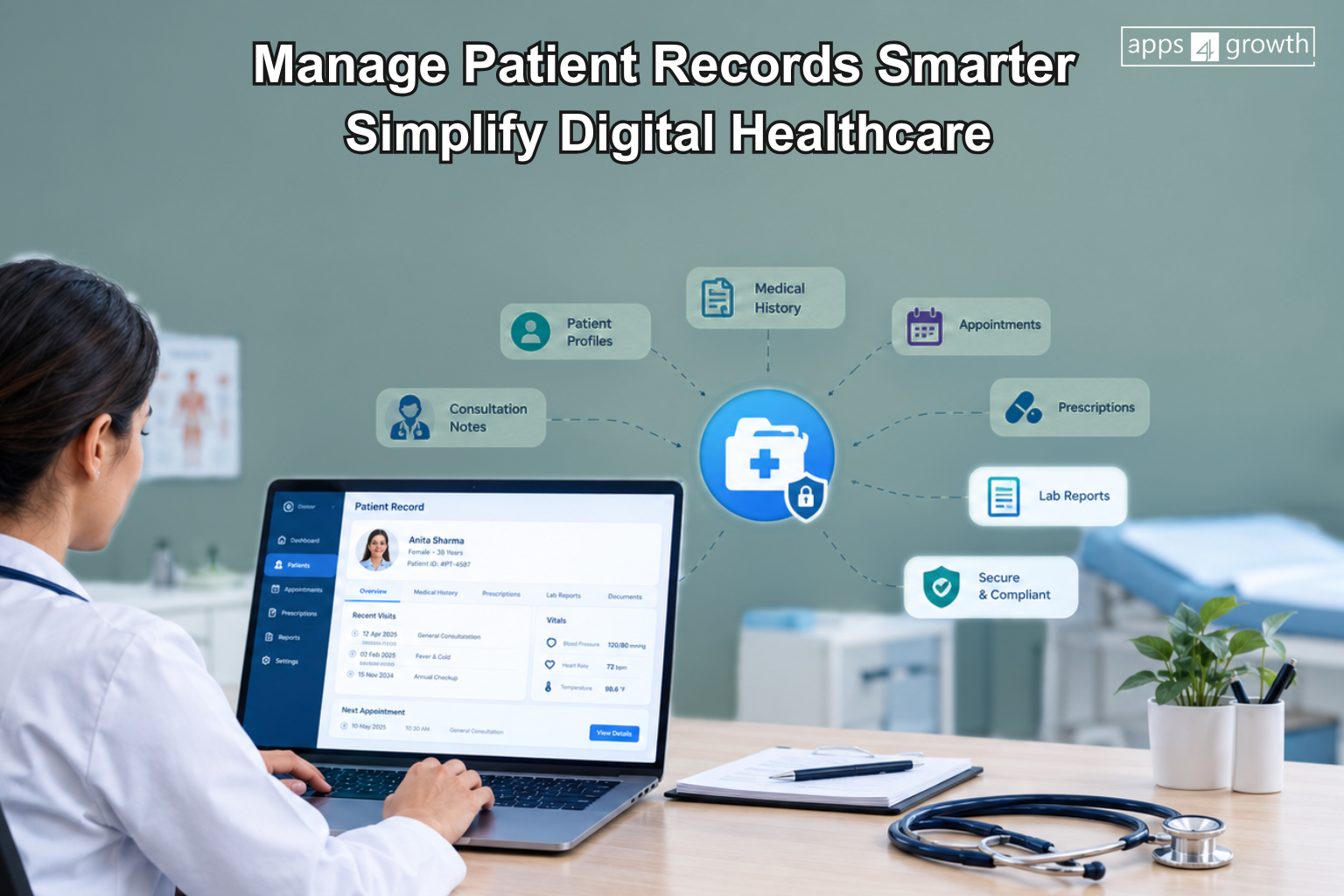
Managing patient information becomes difficult when clinics and healthcare businesses rely on paper files, spreadsheets or disconnected systems. Patient records management software helps healthcare providers store, organize, access and manage patient information digitally from a centralized system. Doctors and staff can find patient details, medical history, reports and appointment information without searching through physical files.
As the number of patients grows, maintaining accurate records becomes even more important. A digital system from apps4growth can help healthcare teams reduce manual work, improve access to information and create a more organized approach to patient record management.
Why Do Clinics Need Digital Patient Records?
Traditional paper-based records can take up significant storage space and require staff to manually locate, update and organize files. Even spreadsheets can become difficult to manage when a clinic handles a large number of patients.
Digital patient records can help clinics maintain information in a structured format. Authorized staff can search for a patient’s profile, review previous information and update records without handling multiple physical documents.
A digital approach can also make it easier for healthcare businesses to maintain consistent patient information across different processes.
What Problems Do Manual Patient Records Create?
Manual record management can create several operational challenges.
Difficult Record Retrieval
Finding an old patient file can take time, especially when a clinic maintains thousands of records.
Duplicate Information
Staff may create multiple records for the same patient when they cannot quickly find the existing profile.
Paper Storage
Physical files require dedicated storage and can become difficult to organize as the patient base grows.
Manual Updates
Staff need to update information across different documents, which can increase administrative work.
Limited Accessibility
A physical file usually remains at one location. Digital records can provide authorized users with access through a connected system.
Difficulty Tracking Patient History
Doctors may need previous consultations, reports or prescriptions to understand a patient’s history. Scattered records can make this process more difficult.
How Can Digital Patient Records Improve Record Management?
A centralized digital record system can organize patient information within individual profiles.
For example, a patient’s profile may include:
- Basic patient information
- Contact details
- Appointment history
- Medical history
- Consultation notes
- Prescriptions
- Diagnostic reports
- Uploaded documents
- Treatment information
- Follow-up details
- Billing information
Instead of maintaining separate files for each activity, healthcare teams can access relevant information through a connected patient record.
What Information Can a Digital Patient Record Store?
The exact information depends on the healthcare organization’s workflow and system design.
A digital patient record system may include sections for personal information, consultations, medical history, prescriptions, test reports and appointments.
Healthcare providers can also structure records according to their specialty. For example, a general clinic, dental practice, diagnostic center and specialty hospital may require different types of information.
The system should therefore support the organization’s actual workflow rather than forcing every healthcare provider to follow the same record structure.
What Features Should Patient Records Management Software Have?
The right patient records management software should make information easier to organize while supporting appropriate access controls.
Patient Profiles
Create a centralized profile for each patient containing relevant personal and healthcare information.
Medical History
Doctors and authorized staff can review previous consultations, medical history and other relevant information.
Appointment Records
Connect patient profiles with appointment information so teams can understand previous and upcoming visits.
Prescription Management
Store prescription details within the patient’s record for easier reference during future consultations.
Document and Report Management
Healthcare teams can organize diagnostic reports, scanned documents and other relevant files within the patient’s profile.
Search and Filters
A strong search function can help staff find patient records using details such as name, phone number, patient ID or other available identifiers.
Role-Based Access
Healthcare organizations can define access based on staff responsibilities. For example, doctors, receptionists, administrators and other users may require different levels of access.
Activity History
A system can maintain relevant activity information so organizations can understand when records receive updates and which authorized user performed an action.
Backup and Data Protection
Healthcare businesses should implement appropriate security, backup and access practices to protect patient information.
How Can Doctors Access Patient Records Quickly?
Doctors often need patient information before or during a consultation. Searching through physical files can slow down this process.
With a centralized digital system, authorized users can search for a patient and access the relevant information through a structured profile.
For example, a doctor may review previous consultation notes, prescriptions and reports before discussing the patient’s current concern.
Quick access does not mean every user should see every piece of information. Healthcare organizations should combine convenient access with appropriate permissions and security controls.
How Can Digital Records Improve Patient Management?
Digital records can connect patient information with other healthcare activities.
For example, a clinic can connect patient profiles with:
- Appointment scheduling
- Doctor management
- Consultation records
- Prescription management
- Diagnostic reports
- Billing
- Follow-up reminders
- Patient communication
This creates a more connected workflow for healthcare staff.
Instead of entering the same patient information into different systems repeatedly, businesses can use a centralized record as the foundation for related processes.
How Can Healthcare Businesses Protect Patient Data?
Patient information requires careful handling. Healthcare businesses should consider security when selecting or building a digital record system.
Important considerations include:
- User authentication
- Role-based access
- Data encryption
- Secure data storage
- Regular backups
- Activity logging
- Controlled document access
- Secure communication
- Software updates
- Data retention policies
The exact security requirements depend on the organization’s location, services, technology environment and applicable laws or regulations.
Businesses should also establish internal policies that define who can access, update, export or share patient information.
Can Patient Records Management Software Work With Other Healthcare Systems?
Yes. A digital patient record system can connect with other healthcare applications depending on the organization’s requirements and technical environment.
For example, businesses may want to connect patient records with:
- Appointment systems
- Billing software
- Laboratory systems
- Pharmacy systems
- Doctor dashboards
- Patient portals
- Communication platforms
- Healthcare CRM systems
Integration can reduce duplicate data entry and help teams maintain a more connected workflow.
Ready-Made or Custom Patient Records Software?
Healthcare organizations have different requirements. A small clinic may need basic patient profiles, appointments and medical history, while a larger healthcare business may require multiple locations, departments, user roles and system integrations.
Ready-made patient management software can provide standard features and may work well for organizations with straightforward requirements.
Custom healthcare software can make more sense when a business needs specific workflows, integrations or user experiences.
A custom solution can support requirements such as:
- Specialty-specific patient records
- Multiple clinic locations
- Custom doctor workflows
- Role-based dashboards
- Patient portals
- Custom reports
- Appointment integration
- Billing integration
- Laboratory integration
- Business-specific approval processes
The choice should depend on the organization’s operational requirements, budget, scalability needs and existing technology environment.
How Can apps4growth Help With Digital Patient Records?
Healthcare businesses looking to move from manual records to a connected digital system can work with apps4growth to develop software around their operational requirements.
A healthcare platform can bring patient records, appointments, doctor workflows, reports and other healthcare processes into a more organized digital environment.
Instead of treating patient records as a standalone feature, businesses can connect them with the workflows their teams already use. This can help create a more practical system for managing patient information and daily healthcare operations.
What Are the Benefits of Digital Patient Records?
Moving from manual records to a digital system can provide several operational benefits.
Faster Information Access
Authorized staff can search and retrieve patient information more quickly.
Better Organization
Digital profiles can keep patient information structured and easier to manage.
Reduced Administrative Work
Automation can reduce repetitive data entry and manual record maintenance.
Improved Information Visibility
Doctors and authorized staff can access relevant patient information through a centralized system.
Easier Record Tracking
Digital systems can help organizations maintain structured histories and activity records.
Better Scalability
A digital system can make it easier to manage growing numbers of patients without relying entirely on physical storage.
Best Practices for Managing Patient Records Digitally
Technology works best when healthcare teams also follow clear record-management processes.
Businesses should:
- Keep patient information accurate and updated
- Use consistent patient identification methods
- Define access permissions clearly
- Train employees on the system
- Maintain regular backups
- Review access logs where appropriate
- Avoid unnecessary duplicate records
- Establish clear data retention procedures
- Keep software and security controls updated
- Review the system as healthcare workflows change
These practices can help organizations build a more reliable digital record-management process.
Final Thoughts
Managing patient information digitally can help clinics and healthcare businesses move away from scattered files and manual recordkeeping. Patient records management software provides a structured way to store, organize and access patient information while connecting records with appointments, consultations, prescriptions, reports and other healthcare workflows.
The right solution depends on the size of the organization, number of patients, type of healthcare services and existing technology environment. Whether a business chooses ready-made software or develops a custom healthcare platform, it should prioritize usability, security, appropriate access controls and scalable record management.
Frequently Asked Questions
What is patient records management software?
Patient records management software helps healthcare organizations digitally store, organize, search and manage patient information such as medical history, consultations, prescriptions, reports and appointments.
Why should clinics manage patient records digitally?
Digital records can help clinics organize information, reduce manual recordkeeping, retrieve patient details more quickly and connect patient information with other healthcare workflows.
What can a digital patient record contain?
Depending on the healthcare organization’s requirements, a digital patient record can contain personal information, medical history, consultation notes, prescriptions, diagnostic reports, appointments, treatment information and relevant documents.
Is patient records management software secure?
Security depends on how the system is designed, configured and operated. Healthcare organizations should use appropriate authentication, access controls, encryption, secure storage, backups and other relevant security measures.
Can patient records software integrate with other systems?
Yes. Depending on the technology and business requirements, patient record software can integrate with appointment, billing, laboratory, pharmacy, communication and other healthcare systems.
Should a clinic choose ready-made or custom healthcare software?
The right choice depends on the clinic’s requirements. Ready-made software may suit standard workflows, while custom healthcare software can support specialized processes, integrations, multiple locations and business-specific requirements.