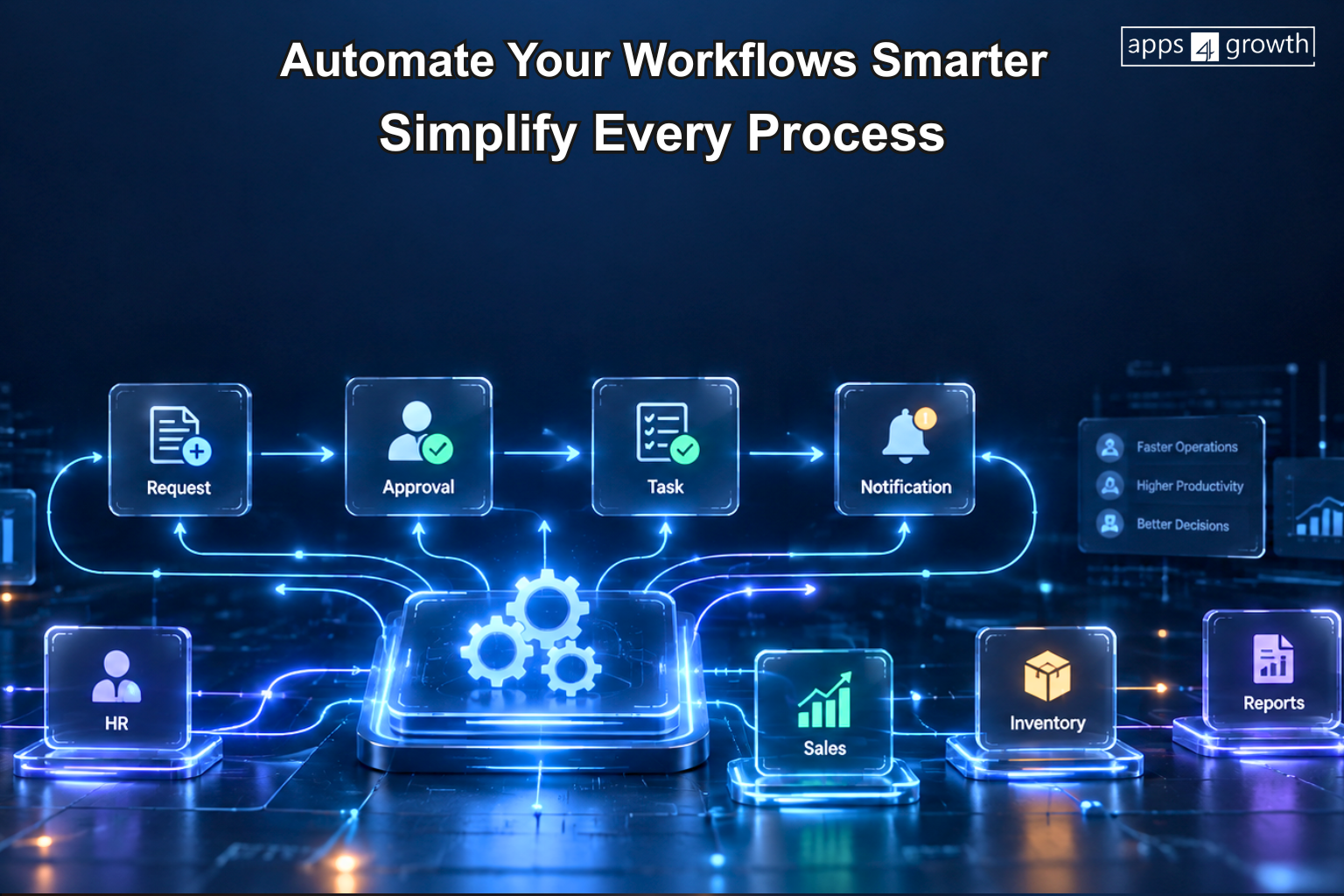
Workflow Automation
What Is Workflow Automation Software?
Businesses often handle repetitive tasks such as approvals, notifications, data entry, customer follow-ups and internal requests. Workflow automation software helps businesses organize these activities into predefined digital workflows so that tasks can move from one step to another with less manual intervention.
Instead of depending on emails, spreadsheets or employees to remember every step, a workflow automation system can trigger actions based on predefined rules. This can help businesses create more consistent processes, reduce repetitive work and improve visibility across daily operations.
For businesses looking to digitize their internal processes, a workflow automation solution from apps4growth can help connect different activities and create structured workflows around specific operational requirements.
What Is Workflow Automation?
Workflow automation means using software to perform repetitive steps in a business process automatically.
A workflow usually contains:
Trigger → Action → Condition → Approval → Notification → Completion
For example, consider an employee leave request. The employee submits the request, the system sends it to the appropriate manager, the manager approves or rejects it, and the system updates the request status.
Without automation, employees may need to send emails, check responses and update records manually. With automated workflows, the software can handle these steps according to predefined rules.
How Does Workflow Automation Software Work?
A workflow automation platform uses rules and triggers to determine what should happen when a specific event occurs.
A simple workflow may look like this:
- A user submits a request.
- The system records the information.
- The software checks predefined conditions.
- The request moves to the appropriate person.
- The system sends a notification.
- The user receives a status update.
- The workflow closes after completion.
Businesses can create different workflows for different departments and processes.
The exact workflow depends on the company’s requirements, software configuration and integrations.
Why Do Businesses Use Workflow Automation?
Manual processes can become difficult to manage as a business grows. More customers, employees, orders and internal requests often mean more repetitive tasks.
Business workflow automation can help companies:
- Reduce repetitive administrative work
- Standardize business processes
- Speed up approvals
- Improve task visibility
- Reduce unnecessary follow-ups
- Organize information
- Improve collaboration
- Create consistent workflows
- Automate notifications
- Simplify reporting
The goal is not simply to automate tasks. Businesses should use automation where it can make a process more organized and efficient.
What Processes Can Workflow Automation Software Automate?
Workflow automation can support many different business functions.
Sales Workflows
Sales teams can automate activities such as:
- Lead assignment
- Follow-up reminders
- Lead status updates
- Sales approvals
- Customer notifications
- Deal-stage changes
For example, when a new enquiry enters the system, the software can assign the lead to a sales representative and create a follow-up task.
HR Workflows
HR teams can automate processes such as:
- Employee onboarding
- Leave approvals
- Attendance requests
- Document collection
- Employee requests
- Exit processes
This can help HR teams reduce repetitive administrative work.
Finance Workflows
Finance departments can use approval workflow software for:
- Purchase approvals
- Expense requests
- Invoice approvals
- Payment requests
- Budget approvals
- Financial documentation
The system can route requests to the appropriate person based on predefined rules.
Inventory Workflows
Businesses can automate inventory-related processes such as:
- Purchase requests
- Stock transfers
- Low-stock notifications
- Order processing
- Receiving workflows
- Inventory approvals
This can help teams coordinate inventory activities more consistently.
Customer Service Workflows
Customer service teams can automate:
- Service ticket assignment
- Customer notifications
- Complaint escalation
- SLA reminders
- Technician assignment
- Service status updates
A workflow management system can help support teams maintain a structured process from the initial request through resolution.
What Are the Benefits of Workflow Automation Software?
1. Reduces Repetitive Tasks
Employees often spend time performing the same administrative activities repeatedly.
Workflow automation can handle predefined tasks such as notifications, assignments, reminders and status changes. This allows employees to focus more on work that requires communication, analysis or decision-making.
2. Improves Process Consistency
Manual processes can vary from one employee or department to another.
Automated workflows follow predefined rules. This creates a more consistent process and reduces the possibility of employees skipping important steps.
3. Speeds Up Approvals
Approval processes can become slow when employees depend on emails or physical documents.
An automated workflow can send an approval request to the appropriate person as soon as a request meets the required conditions.
4. Improves Visibility
Managers may struggle to understand the status of requests when information sits across emails, spreadsheets and messaging platforms.
A centralized workflow system can show pending, completed and in-progress activities in one place.
5. Reduces Manual Errors
Repeated data entry can create mistakes.
Workflow automation can transfer information between connected steps and apply predefined validation rules. This can reduce certain types of manual errors.
6. Improves Team Collaboration
When a workflow moves automatically from one department to another, employees can understand what action they need to take.
For example, a sales request can move from sales to finance and then to operations without requiring employees to manually coordinate every step.
Workflow Automation vs Manual Processes
Manual Process
- Email-based requests
- Manual task assignment
- Manual follow-ups
- Separate records
- Manual approvals
- Status updates by employees
- Repeated data entry
- Difficult process tracking
Automated Workflow
- Digital request forms
- Automatic task assignment
- Automated reminders
- Centralized workflow data
- Digital approval workflows
- Automatic status updates
- Connected data
- Workflow visibility
The right approach depends on the complexity of the business process. Simple tasks may not require automation, while repetitive multi-step processes can benefit significantly from a structured workflow.
What Features Should Workflow Automation Software Include?
A useful workflow automation system may include features such as:
- Workflow builder
- Digital forms
- Task management
- Automated notifications
- Approval workflows
- Role-based permissions
- Conditional workflows
- Automated reminders
- Status tracking
- Dashboard and reporting
- Activity history
- Data integration
- API support
- Mobile accessibility
Businesses should select features based on their actual workflows rather than choosing software only because it offers a large number of features.
Can Workflow Automation Software Integrate With Other Business Systems?
Yes. Integration can make workflow automation more useful.
A business may use separate systems for CRM, ERP, HR, accounting, inventory or customer service. Integrating these systems can allow information to move between processes without requiring employees to enter the same data repeatedly.
For example, a CRM can send customer information to another business system when a sales opportunity reaches a specific stage.
The available integrations depend on the software, APIs and technical requirements.
Workflow Automation Software vs Business Process Automation Software
The two terms are closely related, but businesses often use them in slightly different contexts.
Workflow automation generally focuses on automating the steps within a particular process.
Business process automation can cover broader end-to-end business processes involving multiple departments, systems and workflows.
For example, automating an employee leave approval is a workflow. Connecting employee requests, HR records, payroll updates and notifications can form part of a broader business process automation strategy.
Should Businesses Use Ready-Made or Custom Workflow Software?
Ready-made workflow automation tools can work well for businesses with standard processes and common automation requirements.
However, some companies have unique approval structures, business rules, integrations or operational workflows.
In such cases, custom workflow automation software can provide greater flexibility. Businesses can design workflows around their specific requirements instead of changing their processes to fit a fixed software structure.
A custom solution may include:
- Industry-specific workflows
- Custom approval rules
- Department-specific dashboards
- User roles and permissions
- Third-party integrations
- Custom reports
- Automated notifications
- Mobile workflows
The decision should depend on workflow complexity, budget, scalability and integration requirements.
How Can apps4growth Help With Workflow Automation?
apps4growth provides digital solutions for businesses looking to improve different operational processes through software, automation and connected systems.
Depending on business requirements, workflows can support areas such as CRM, sales, inventory, HR, production, customer service and other operational activities.
For companies with unique processes, workflow automation software development can help create digital workflows around specific business rules, approvals, integrations and reporting requirements.
Before developing a solution, businesses should identify repetitive processes, define the required workflow and determine which steps need automation.
How Should a Business Start With Workflow Automation?
Businesses can start with a simple process instead of trying to automate everything at once.
A practical approach includes:
- Identify repetitive business processes.
- Document the existing workflow.
- Find unnecessary manual steps.
- Define triggers and conditions.
- Identify users and approval levels.
- Select the required integrations.
- Automate the highest-value workflow first.
- Test the process with users.
- Monitor workflow performance.
- Improve the workflow based on business requirements.
This approach can help businesses introduce automation gradually and understand its operational impact.
Final Thoughts
Workflow automation software helps businesses turn repetitive manual processes into structured digital workflows. It can support approvals, notifications, task assignments, customer follow-ups, HR requests, inventory processes and many other activities.
The value of automation depends on selecting the right processes and designing workflows that match how the business actually operates.
For businesses with standard requirements, ready-made workflow automation tools may provide the necessary functionality. Companies with more specialized processes can consider custom workflow automation software that connects their workflows, systems and business rules in a way that fits their operations.
Frequently Asked Questions
What is workflow automation software?
Workflow automation software helps businesses automate repetitive steps within a process using predefined triggers, rules, actions and notifications.
What is workflow automation used for?
Businesses use workflow automation for approvals, task assignments, notifications, sales follow-ups, employee requests, customer service, inventory processes and other repetitive activities.
What is the difference between workflow automation and business process automation?
Workflow automation focuses on automating steps within a specific process, while business process automation can cover broader processes involving multiple departments and systems.
Can small businesses use workflow automation software?
Yes. Small businesses can automate repetitive activities such as lead follow-ups, approvals, employee requests, customer support and reporting.
Does workflow automation software integrate with CRM and ERP systems?
Many workflow automation platforms support integrations with CRM, ERP, HR, accounting, inventory and other business systems. Available integrations depend on the software and technical setup.
Is custom workflow automation software necessary?
Custom software may be useful when a business has unique workflows, approval rules, integrations or reporting requirements that ready-made tools cannot support effectively.